Six Weeks. Twenty Tools. Here Is the Honest Truth.
I gave myself one rule: no tool gets a pass because it has good marketing.
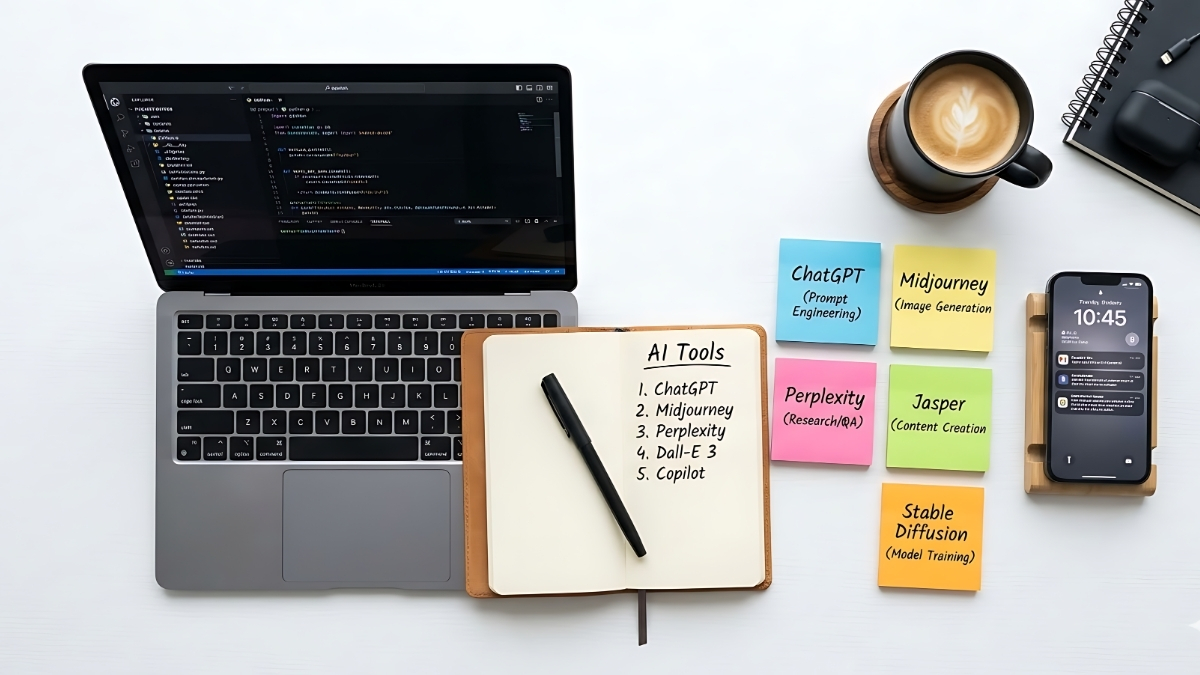
Over the past six weeks, I tested 20 AI tools across writing, coding, research, automation, design, and productivity. Same tasks. Real deadlines. No affiliate deals influencing the results. Here is what actually happened — the winners, the disappointments, and the three tools I deleted after day one.
The 20 AI Tools Testing Method
Every tool was evaluated against four criteria: does it save meaningful time, does it produce output I would actually use, does it work reliably under real conditions, and is the pricing justified by the results. Tools that cleared all four made the cut. Tools that failed two or more are at the bottom of this list for a reason.
Tier 1 — Use These Every Day
ChatGPT
The most versatile of the 20 AI tools tested. ChatGPT handles writing, research, coding, image generation, and brainstorming with consistent reliability. Over 78 percent of global companies now use AI in some capacity, and ChatGPT remains the default starting point for most of them — for good reason.
Its Custom Instructions feature lets you set your brand voice and role once so every conversation starts on the right foot. Memory remembers ongoing projects. Voice mode lets you think out loud and get structured output back. In six weeks of testing, ChatGPT was the one I reached for most often — not because it wins every category, but because it loses fewer than anything else.
Claude
Claude is the tool I used to write most of this review. It follows nuanced instructions better than ChatGPT, produces cleaner prose, and handles long documents without losing track of context. In independent testing of 12 AI writing tools, Claude won for natural writing and tone control while ChatGPT won for research and structured content.
If writing quality matters to your work, Claude is not optional. It is the standard.
Perplexity
The best AI search tool tested. Perplexity blends web search with AI reasoning, providing answers with citations in real time. For anyone who needs current data without hallucinated sources, it is essential. Start research in Perplexity, move the output into ChatGPT or Claude to develop it further. That two-step workflow saves hours. It is one of the simplest combinations discovered while testing 20 AI tools.
Make.com
The automation tool that made the most immediate difference to daily workflow. Make.com connects over 1,800 apps and runs multi-step workflows automatically. A form submission triggers a CRM entry, a Slack notification, a personalized email, and a calendar invite — without touching a keyboard. Among the 20 AI tools tested, Make.com produced the fastest measurable return on the time invested in setup.
Also Read : AI Tools Replacing Jobs: 7 Roles Already Gone in 2026
Tier 2 — Use These for Specific Jobs
NotebookLM
Google’s source-grounded research assistant earns its place cleanly. Upload your own documents and ask questions — it answers from your sources, not its training data. For legal, research, and academic work, the accuracy improvement over general chatbots is significant. The Audio Overviews feature converts uploaded content into a podcast-style conversation. Genuinely useful.
Cursor
The best AI coding environment tested. Cursor integrates Claude and GPT-4o directly into a VS Code-style interface and handles complex refactoring, bug identification, and code generation with less friction than any competitor. Developers who try it rarely go back to standard IDE setups.
Midjourney
The strongest image generation tool among the 20 AI tools. Output quality is consistently above competitors for photorealistic and stylized work alike. The interface requires joining a Discord server, which creates friction — but the results justify the extra step.
Descript
Video editing by editing text. Upload a video, get a transcript, edit the words, and the video cuts follow automatically. A 45-minute interview becomes a 12-minute final cut in under 30 minutes. For anyone producing talking-head or interview content, this belongs in your workflow.
Gamma
Presentation generation from plain text. Paste in a strategy document and get a structured, professionally designed slide deck in under two minutes. The output quality surprised me — it does not look AI-generated. For consultants and managers who present regularly, the time savings compound quickly.
ElevenLabs
The best AI voice tool tested. Voice cloning accuracy is high enough to be genuinely useful for podcast production, voiceover work, and video narration. Among all 20 AI tools evaluated, ElevenLabs showed the clearest product-market fit in its category.
Also Read : 5 Powerful Underrated AI Tools Nobody Is Talking About in 2026
Tier 3 — Situational Value
Jasper
Useful for marketing teams that need to maintain brand voice at scale. The $49 per month starting price is harder to justify for individuals — ChatGPT or Claude at $20 per month handles the same tasks with more flexibility. Worth it only if brand consistency across many writers is a documented problem.
Surfer AI
Built for SEO content specifically. The output quality is adequate rather than excellent — but if volume and keyword targeting matter more than prose quality, it earns its place.
Notion AI
Very much worth using if you are already inside the Notion ecosystem. Not worth adopting Notion just for the AI features.
Grammarly
Reliable. Not exciting. Grammarly catches errors that other tools miss and works quietly in the background without demanding attention. That is a virtue.
Tier 4 — Disappointing Results
Copy.ai
Essentially ChatGPT with marketing templates and a significantly higher price tag. Deleted after day three of testing.
Writesonic
The underlying model is GPT-4, the templates are competent, and the price is higher than going directly to the source. Did not make a compelling enough argument during testing.
Rytr
Generated content that felt mechanical and required significant editing before it was usable. The highest ratio of editing time to output quality among all tools tested.
What the Results Actually Show
The pattern that emerged from testing these 20 AI tools is consistent with what the data shows at scale: the right question is not which AI tool is best, but which tool solves which specific problem.
The knowledge workers getting the most from AI in 2026 are not the ones with the longest list of subscriptions. They are the ones who — after evaluating the same 20 AI tools everyone else has access to — identified three or four that fit their actual workflow and stopped experimenting long enough to get genuinely good at using them.
The right AI stack for most professionals: ChatGPT or Claude as the foundation, Perplexity for research, Make.com for automation, and one specialist tool that fits your specific work. That combination — discovered after testing 20 AI tools across six weeks — covers roughly 80 percent of what AI can currently do for a knowledge worker at a monthly cost less than two billable hours.
For continuously updated rankings of AI development tools, the LogRocket AI dev tool power rankings publish monthly comparisons with detailed benchmark analysis.
Frequently Asked Questions
1. Which AI tool is best for writing in 2026?
Claude wins for natural writing and tone. ChatGPT wins for research and structured content. Both cost $20 per month.
2. Are expensive AI tools worth it over ChatGPT?
Rarely for individuals. Tools like Jasper and Writesonic wrap GPT-4 with templates at 2-3x the price. Most people get better results learning to prompt ChatGPT or Claude directly.
3. What is the best free AI tool right now?
Perplexity for research, NotebookLM for document analysis, and Gamma for presentations all offer genuinely capable free tiers worth trying before committing to paid plans.
Which AI tool changed your workflow most in 2026? Drop it in the comments.